WayAuto Blog
Is there an app that tracks where you've driven? (iPhone)
Yes, there are iPhone apps that track where you've driven. Here's what your iPhone already records, where it falls short, and what a drive log adds.
Yes. There are apps that log every drive you take and turn it into a map you can look back on, and your iPhone already keeps a rough record of where you've been on its own. The catch is that the built-in options are made for remembering places, not drives. If you want to see the actual route you took, how fast you went, or every road you've ever driven, you'll need an app made for that.
Here's what your iPhone can already do, where it stops, and what a drive-logging app adds.
What your iPhone already tracks
Your iPhone has a feature called Significant Locations. It learns the places you go often, like home, work, or the gym, and uses them for things like suggestions in Maps and Calendar. You can find it under Settings > Privacy & Security > Location Services > System Services > Significant Locations. It shows a list of places and roughly when you were there, but it doesn't show the route you took between them.
If you use Google Maps, its Timeline feature can also keep a history of where you've been, including some trips between places. Google has moved Timeline data to be stored on your phone rather than in your Google account, so it now lives in the Google Maps app itself. You have to turn it on first, and it only records while Location History is enabled.
Both are handy for answering "where was I last Tuesday?" Neither one is really built around driving. You won't get a clean route for each drive, your speed, or stats about the trip, and there's no single map that fills in every road you've driven over time.
What a drive-logging app adds
A drive-logging app focuses on one thing: the time you spend in the car. I'm building one called WayAuto, so I'll use it as the example, but the idea is the same for any app in this space.
It logs drives in the background. You don't have to remember to press record. WayAuto picks up your drives on its own and saves them as you go.
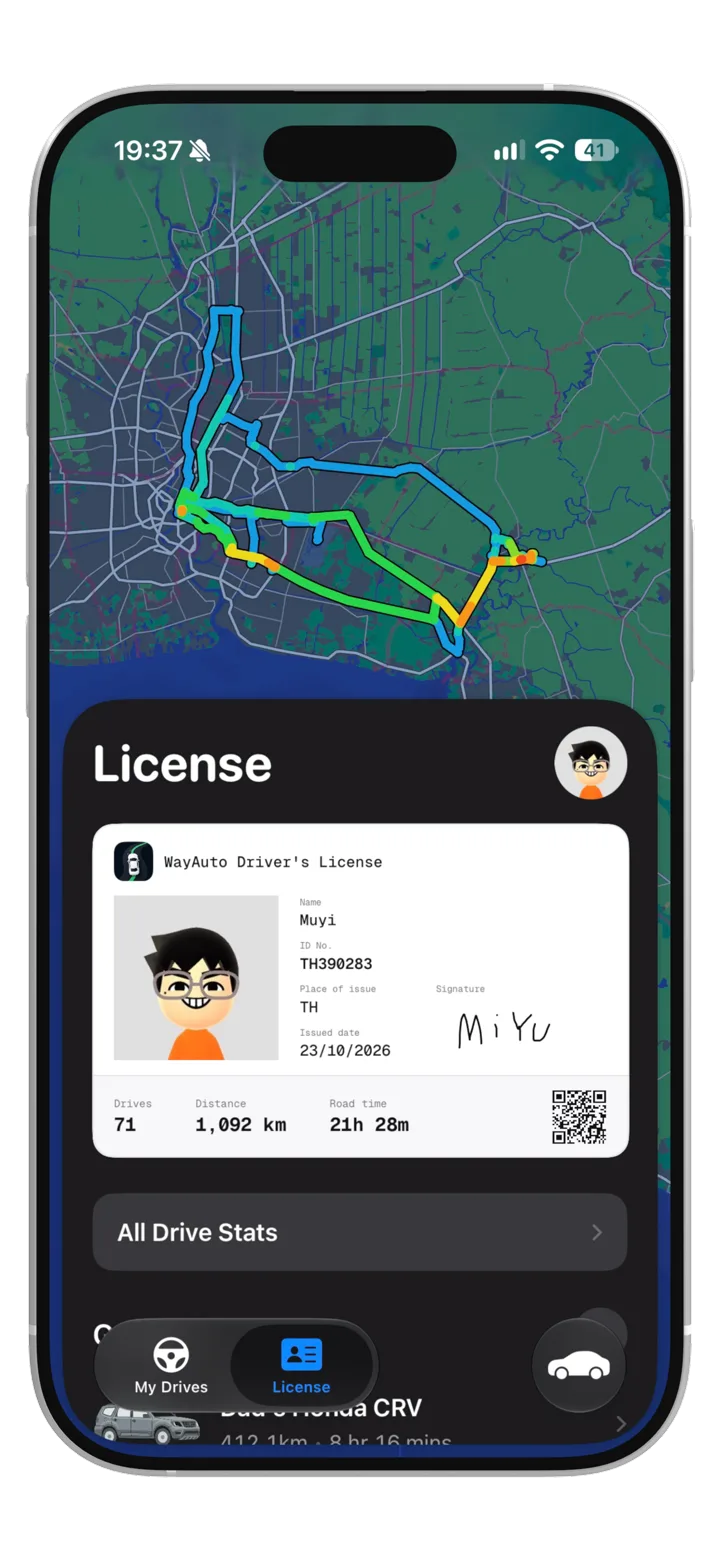
It builds a map of every road you've driven. Each drive adds to one map, so over time you can see all the roads you've covered. It's a nice way to notice how much of your city you actually know, and which parts you've never been to.
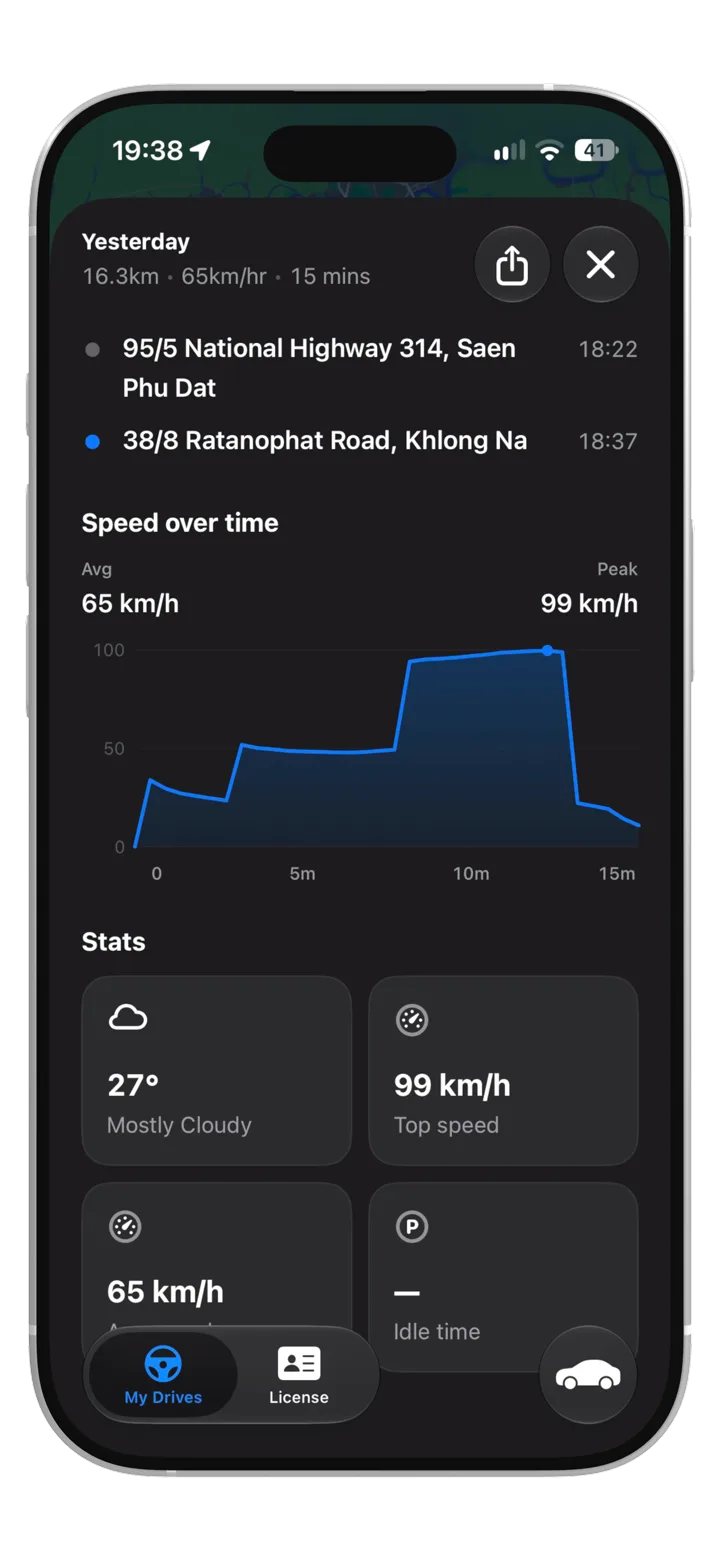
Each drive gets its own stats. Open a drive and you'll see your top speed, average speed, and idle time, plus the weather saved from the end of the trip.
You can check it from the Lock Screen. While you're driving, a Live Activity shows your car, speed, and distance on the Lock Screen and in the Dynamic Island, so you don't need to open the app to see them.
It works with more than one car. WayAuto keeps a garage for all your cars, and you can switch which car you're driving right from the Dynamic Island during a drive.
You can share a drive. Each drive can be turned into a card you can send to friends or post, which is fun for a road trip or a nice drive you want to remember.
None of this replaces Significant Locations or Google Maps Timeline. They do a different job. A drive log is for when you care about the drives themselves.
What about privacy?
Any app that tracks your location should be clear about where that data goes, and it's worth checking before you install one.
Your drives are saved on your iPhone and, if you turn on backup, in your own private iCloud, which I can't see. To draw each route along the actual roads, WayAuto sends a drive's GPS points to Mapbox, a mapping service. I also use PostHog to count things like finished drives and to catch crashes. That data is linked to your WayAuto license number, the ID on your in-app license, not your name or location. If you delete a drive, it's removed from iCloud too.
If you're comparing apps, look for a plain answer to three questions: where is my location data stored, who can see it, and can I delete it.
Try WayAuto
WayAuto is in beta right now. If you'd like to try it, you can join with your email at wayauto.app. I'd love to hear what you think, and what you'd want it to track next.